ACTIVE DIRECTORY
Organise identities
Structure accounts and groups to connect access with users’ roles. Document the agreed rules and administration procedures.
CYBERSECURITY · ADMINISTRATION & TEACHING
My approach combines systems administration, identity management and training. It means understanding working practices, applying appropriate settings and making those practices understandable to teams.
YOUR NEED, PRACTICAL SUPPORT
Structure accounts and groups to connect access with users’ roles. Document the agreed rules and administration procedures.
Examine who can view or change resources, identify permissions that need clarification and test access in representative situations.
Use GPOs in a Windows environment to define shared settings, test them within a limited scope and document their application.
Explain the role of identities, permissions and updates. Create exercises suited to users and technical teams.
Observe a behaviour, understand its consequences and apply a setting. Exercises take place in authorised environments and within authorised boundaries.
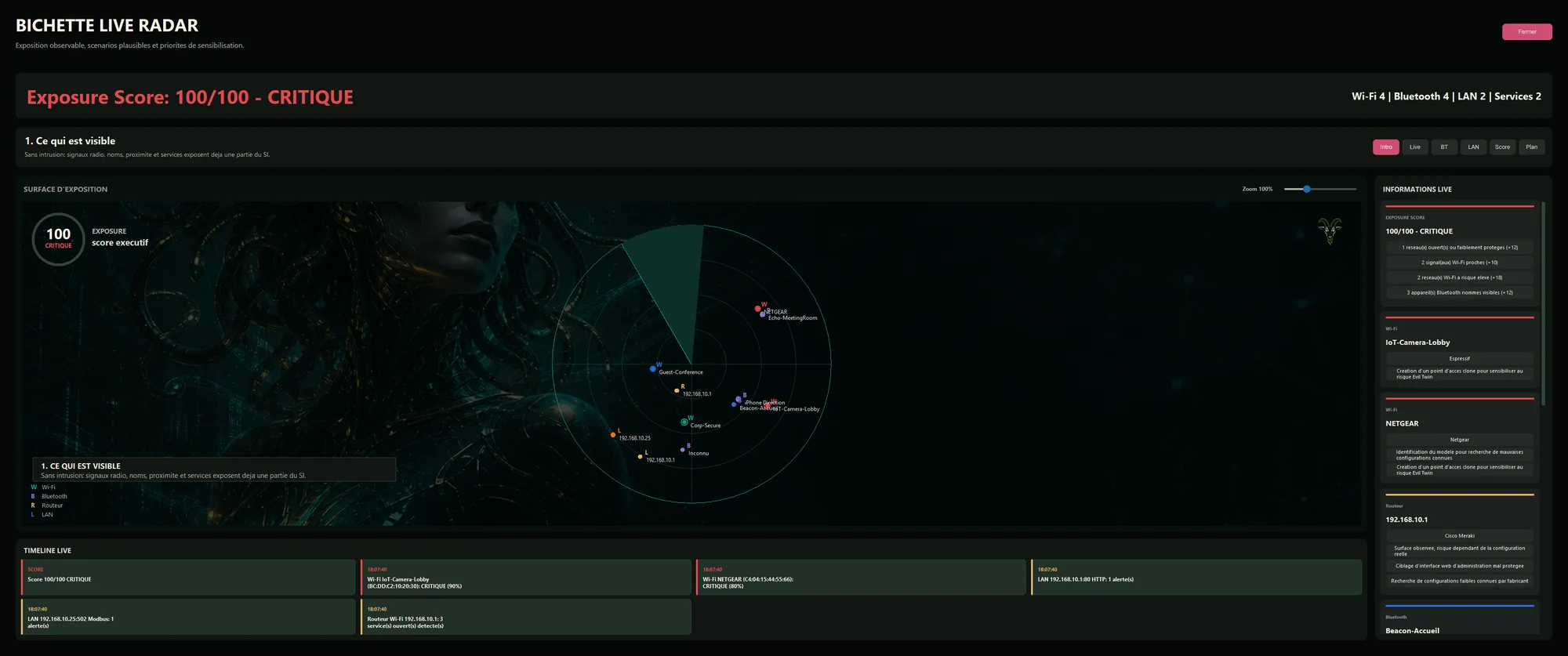
Use a Wi-Fi, Bluetooth and LAN radar as an awareness tool, with an anonymised presentation and proximity estimates.
A digital radar prototype for explaining the signals present around a workstation.
Bichette brings Wi-Fi, Bluetooth and network signals together in a radar interface. The visualisation and anonymised presentation provide a starting point for explaining the information detected and its limitations.
FROM THE FIRST CONVERSATION TO ONBOARDING
Identify the resources, users and authorised scope of work.
Define the settings and practices to work on with the teams.
Configure and test the selected measures, and document the checks.
Explain the operations and provide useful instructions.
THE STARTING POINT
Tell me about your environment, the difficulties you face and what you want to improve. We can then define an initial practical direction.
Describe my needs